Choosing the right device for your setting
Charity payment solutions aren't one-size-fits-all, and the right device depends heavily on where donations actually happen in your organisation. Before comparing features, it helps to think about three things: whether the location is fixed or mobile, how much footfall passes through it, and whether a volunteer will be present to help supporters use it.
Fixed location
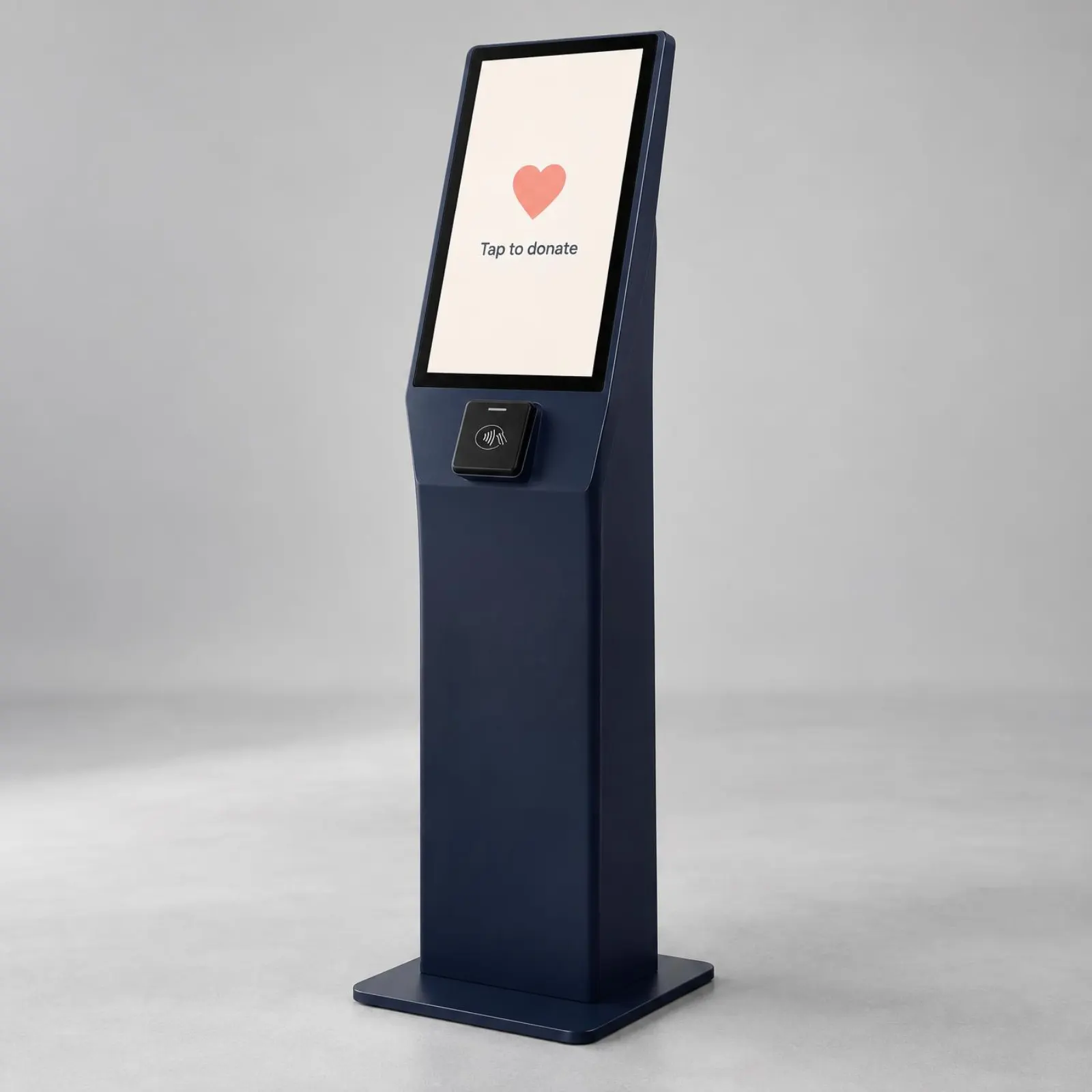
For a reception desk, shop till or service entrance that never moves, the free card machine offer or The Core kiosk both work well. A small terminal suits low-footfall spots where a quick tap is all that's needed; The Core's 21.5-inch interactive touchscreen is better where you want the device itself to draw attention and prompt donations from people who weren't necessarily planning to give.
Events and pop-ups
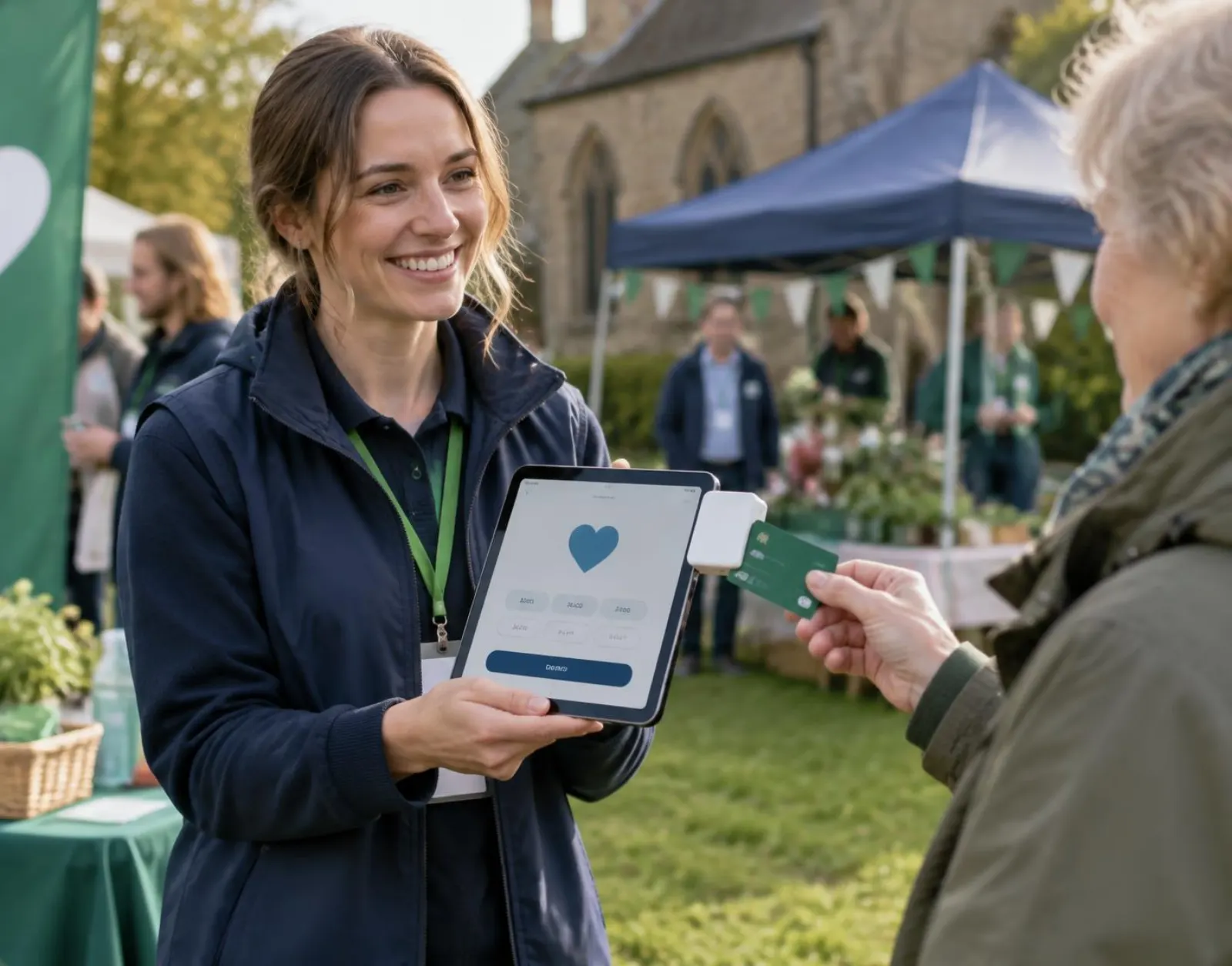
Fundraising events, fetes and temporary collection points need something that isn't tied to a power socket. Edge, with its 10.5-inch touchscreen and all-day battery, is built for exactly this — a volunteer can carry it around a venue or set it up on a stall table for the day and move it again tomorrow.
Volunteers on the move
Where donations are collected by volunteers walking a building, a car park or a street collection, Edge's combined card machine and tablet format means one person can take contactless payments without needing a separate card reader and screen. It's also straightforward enough that new volunteers can be shown how to use it quickly.
Placement tips that make a real difference
Where you physically put a contactless donation kiosk or donation tablet has a bigger effect on how much it's used than most organisations expect. A device tucked behind a counter or out of eyeline will be missed by most visitors, however good the technology is.
- Place devices at natural pause points — exits, entrances, till queues, or wherever people already stop moving
- Keep sightlines clear so the screen is visible from a few metres away, not hidden behind signage or displays
- Pair the device with simple signage explaining what it's for, since not everyone will recognise a donation kiosk on sight
- For events, position Edge where a volunteer can talk to people rather than leaving it unattended
Gift Aid basics on devices
All the devices support automated Gift Aid claiming, which means eligible UK taxpayers can add a declaration as part of the donation flow rather than filling in a separate paper form afterwards. For every £1 given by a donor who has made a valid declaration, your charity can claim an extra 25p, provided your organisation is recognised by HMRC.
Because the declaration is captured digitally at the point of donation, the record is stored alongside the transaction, which makes it easier to keep your Gift Aid claims accurate and up to date rather than chasing paper slips later.
Common device features across the range
Whichever device you choose, the core capabilities are shared across the range: one-off and recurring donations, automated Gift Aid claiming, real-time analytics, automatic reconciliation, remote device management, an open API for connecting to a CRM, custom branding, and PCI-compliant payments throughout. The differences between the free card machine offer, The Core and Edge are mainly about form factor and where each is best placed, not about the underlying payment technology.
Custom branding means the device can reflect your organisation's identity rather than feeling like a generic terminal, which can help supporters recognise and trust it as part of your charity rather than a piece of unfamiliar hardware.
 Most popular